Quick tutorial

How JEK eReceipt works

Step 1

Your receipt has a link

Every receipt printed on a JEK terminal has a QR code and a pass.jek.app link. Scan it to see the digital version.

The JEK app is optional, but highly encouraged. Manage your receipts, JEK eReceipt and rewards in one place.


Download on the App StoreGet it on Google Play

Step 2

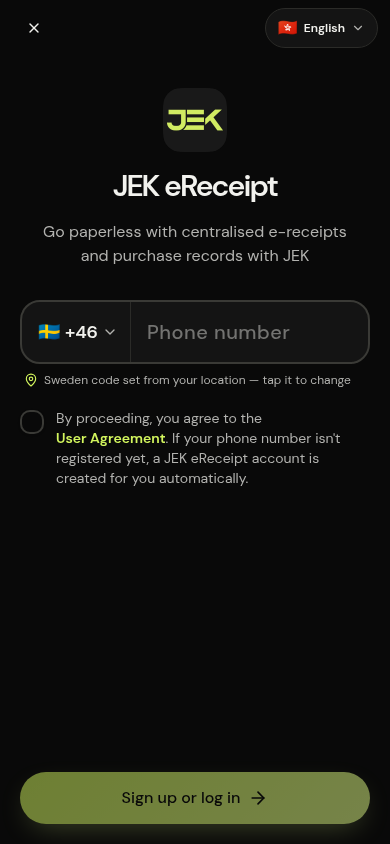
Register with your phone

Enter your mobile number and the 6-digit code we text you. That's your JEK eReceipt account — no password.

Your phone number is required so we know where receipts belong.

Step 3

Link your card securely

Add your card or mobile wallet. The card network gives us a token in place of your card number, so we can recognise your taps without ever storing it.

Same security used by Apple Pay and Google Pay.

Step 4

Receipts arrive in the JEK app

Choose digital only, or digital + printed. Your digital receipts go to the JEK app by default.

The JEK app is optional, but highly encouraged. Manage your receipts, JEK eReceipt and rewards in one place.
Step 5

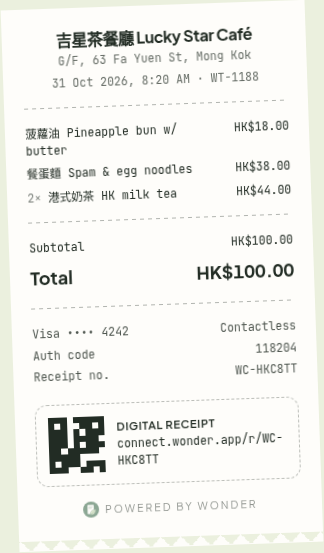
Just tap and go

Next time you pay with that card at any JEK merchant, your e-receipt arrives in seconds. Less paper, less carbon, nothing to lose.

Each e-receipt avoids around 2.5 g of COâ‚‚e.

Questions